We released our features previously available on https://lab.cand.li/ to the main Candli.
These are:
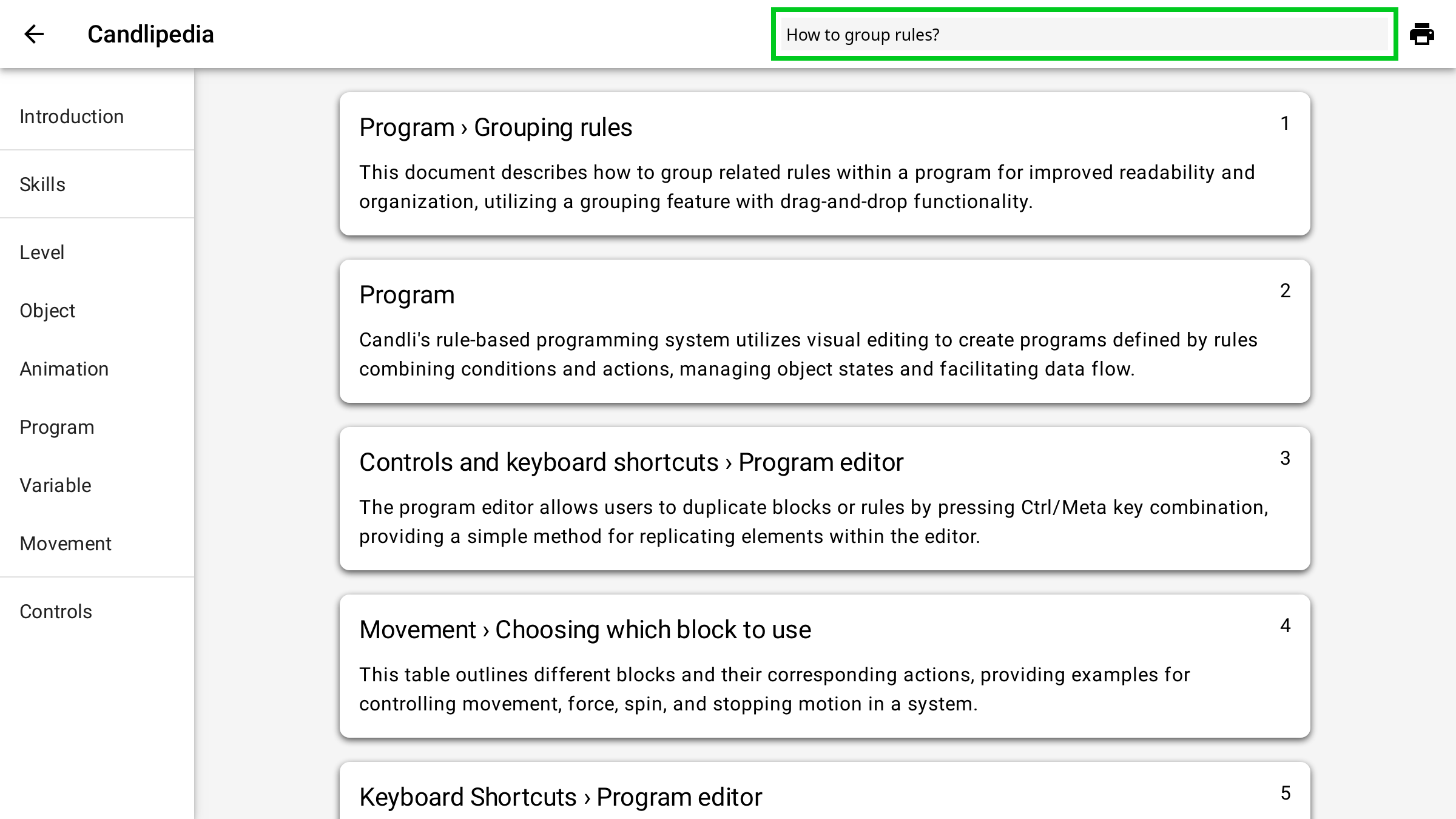
- Search in Candlipedia
You can now ask a question to Candlipedia, and it will try its best to find the relevant part of the documentation to answer your question! Tip: useCtrl+Kto enter the search box, andEnterto do the search, then press a number to jump to the desired article. - Grouping and commenting rules
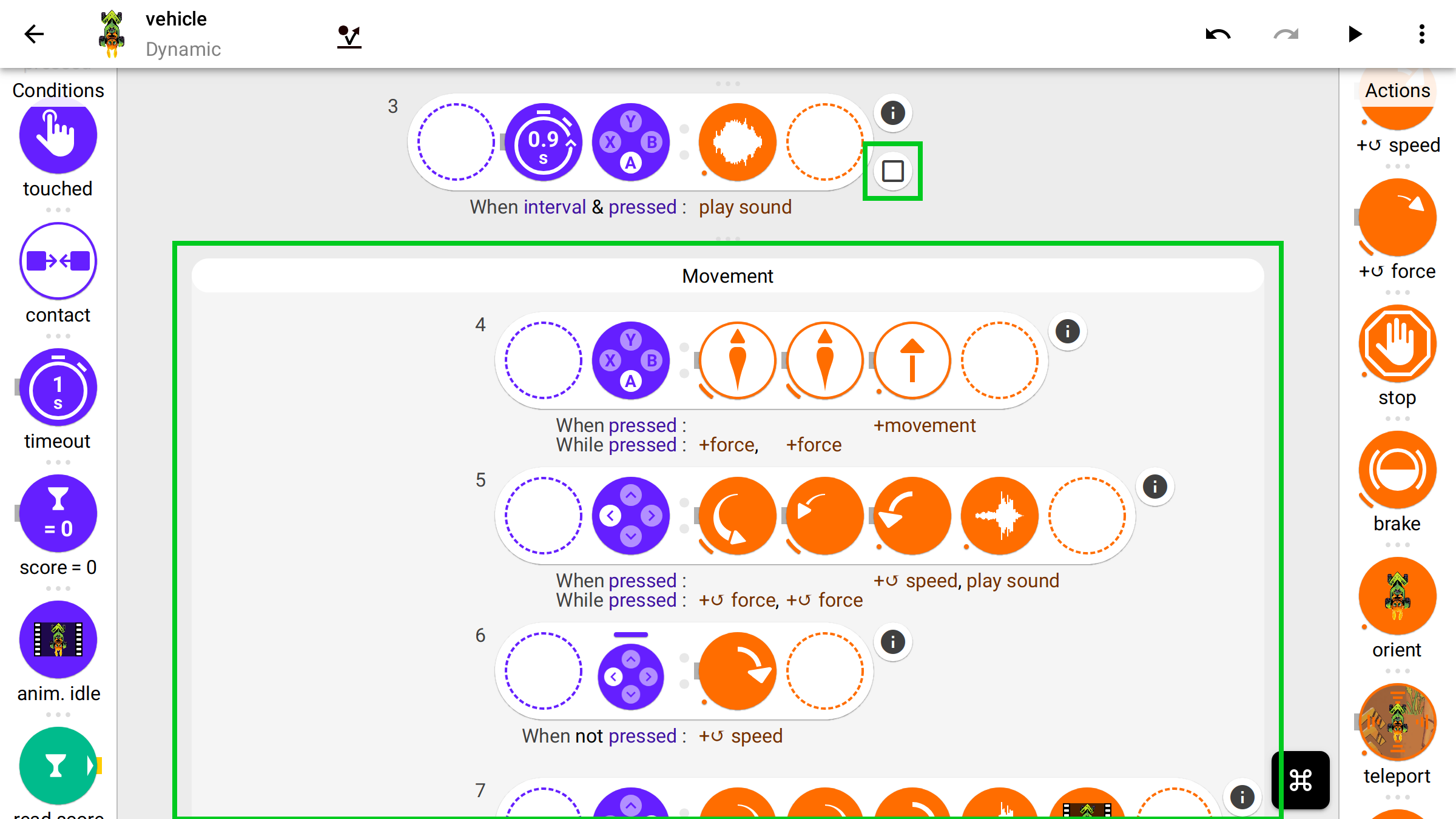
You can now group VPL rules and comment them. That is very useful to create structure in your VPL code, and help you and others understand how your game works. Press on the round button containing a square at the bottom-right of a rule to put it into a group, and then drag & drop other rules into this group if you wish so. - New Screen Element object kind
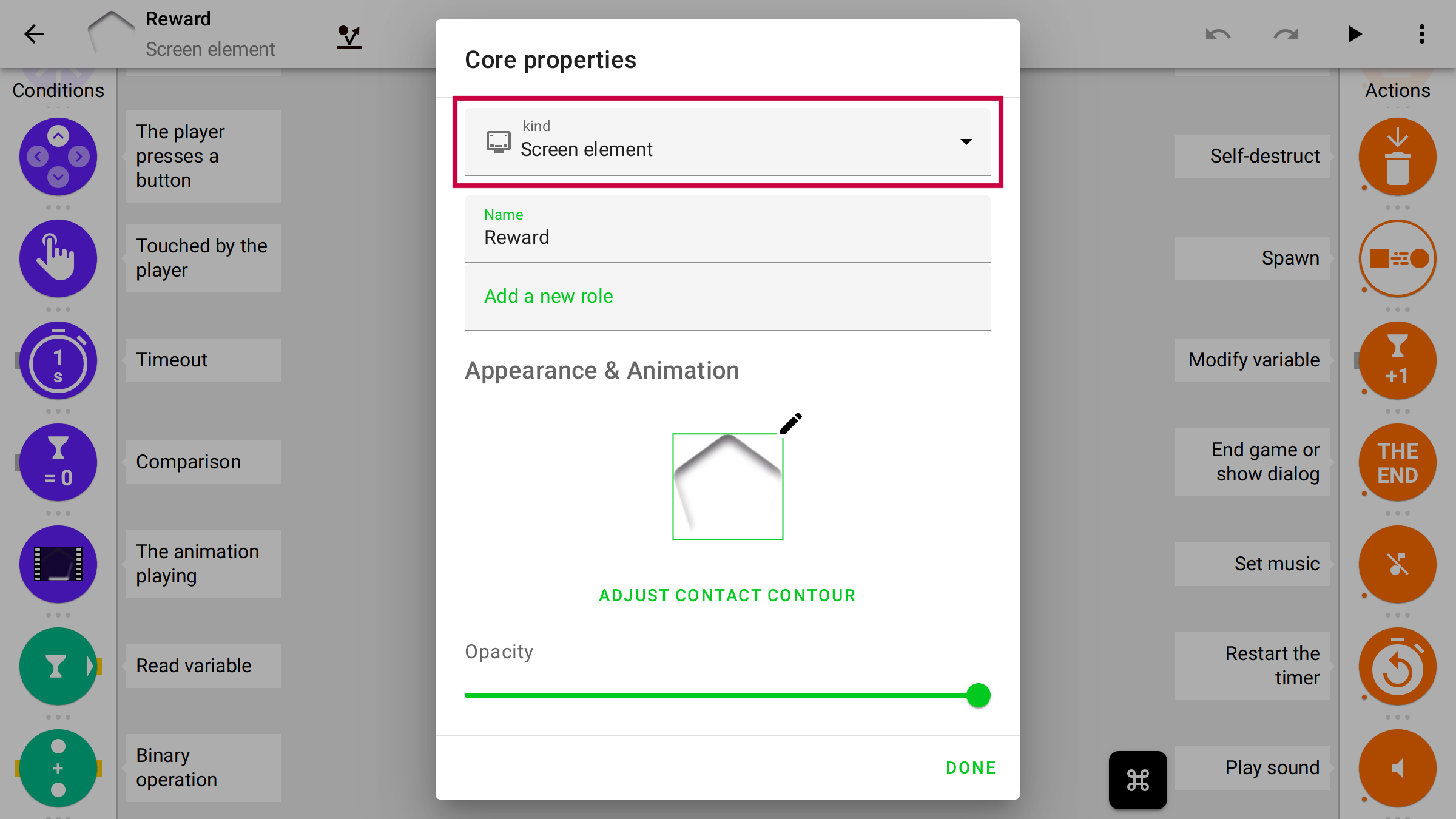
You can now choose “Screen Element” as object kind. These will stay on a fixed position on screen while the camera moves. For object of this kind, you can select whether they should stick to a side of the screen or be centred. This is useful for creating Head-Up Display (HUD) User Interface (UI) elements that work with screens of different aspect ratios. - Runtime console (toggle with ~)
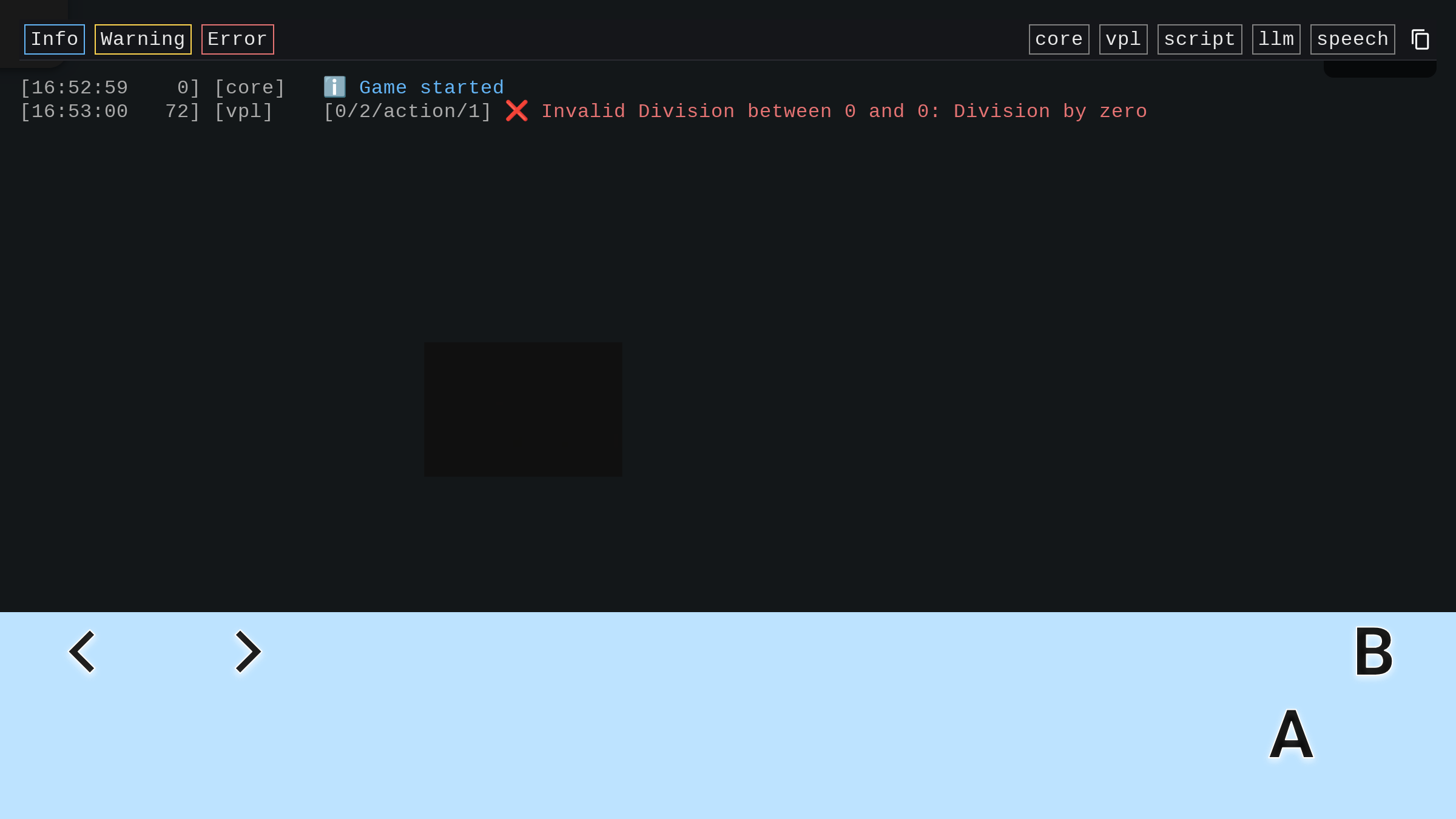
Is your game misbehaving? Do you feel that some VPL rules are not executing as expected? Maybe some block crash, for example if you perform a division by zero. You can see such error messages on the in-game console, that you can toggle using key~. - Runtime object inspector (Shift + Click on an object)
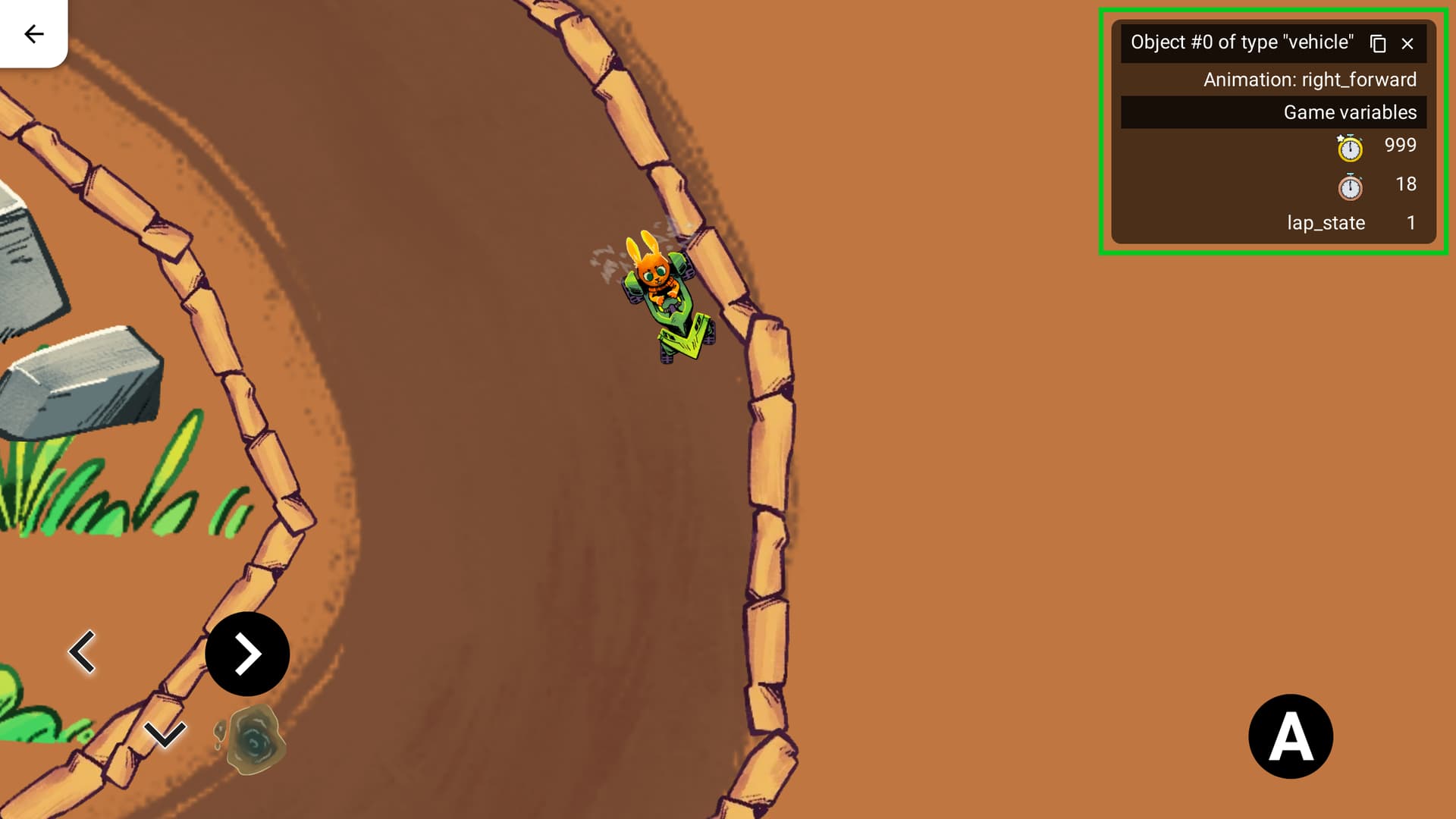
In addition, you can inspect an object at run time using the object inspector. JustShift + Clickon the object while playing the game, and the inspector will show up. The inspector will display the name of the object type, the currently-playing animation, and the state of all corresponding game, object-type and object variables.