Good day
My class has several questions that I must pass on to you, as I have not been able to find a suitable solution myself:
-
A child wants to add an enemy that follows the game character and, if it catches up to them, the game ends.
-
A child wants to programme the game so that the game is over when you have 0 lives.
-
A child has programmed an object that withers when touched. This object flies through all objects that have been programmed as obstacles. Can this be changed so that the withering object bounces off these obstacles instead of flying through them?
-
For some children, the game landscape is so small that it can no longer be found in programming mode. This results in long searches until the game world is found again. A navigation function would be useful here. If clicked, it would lead the user back to the game character.
Thank you very much for the questions 
-
I’m afraid this is not easily possible at the moment, as there is no way for one instance to know in which direction another is. I will ask internally if there are any known tricks to achieve something similar.
-
This can be well implemented with a (e.g. game) variable that represents the state of “life”. A wounding event (e.g. contact with a projectile or dangerous object) would need to decrease this variable. Contact with a healing object could increase it again. Another rule would need to end the game as soon as this variable reaches the value 0 (see e.g. Show end screens). There is an important difficulty when the value 0 is supposed to end the game: at the beginning of the game, all numerical variables are 0. This means the condition is immediately met and the game ends before any action can set the life to a non-zero value. This must be prevented. One way is to use a “not if created” (negated sun symbol) as an additional condition. This can be learned in the tutorial “How can I … add life”.
-
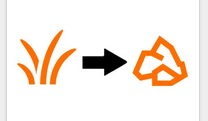
For this, the object type of the picked-off object would need to be changed to “dynamic”. This can be done in the top left of the object type editor. See tutorial “How can I … change the object type”:
-
Thank you very much for the hint and the suggestion! It is a known problem that can arise, for example, through unintentional zooming. I am not sure if the suggested help has already been considered. I have noted it down as a suggestion.
My colleague Hannes has responded to the first three points. Regarding the last point: simply press the “Home” or “a” key when no objects are selected. A zoom level that views the entire level will be selected. Please note that the list of keyboard shortcuts is available in Candlipedia.